Specialist Skills
Skills are pre-built capabilities that extend what a specialist can do. Instead of setting up everything from scratch, you can search the MorphMind GitHub community for skills built by other researchers and teams — and add them to your specialist in one click.
What is a Skill?
A skill is a packaged set of instructions, tools, or knowledge that a specialist can use when working on tasks. For example, a skill might teach a specialist how to pull data from a specific database, follow a particular analysis protocol, or communicate in a domain-specific format.
How to Find and Add a Skill
Step 1 — Open the Specialist panel
In your project, click on a specialist's name to open their profile in the Team Management panel.
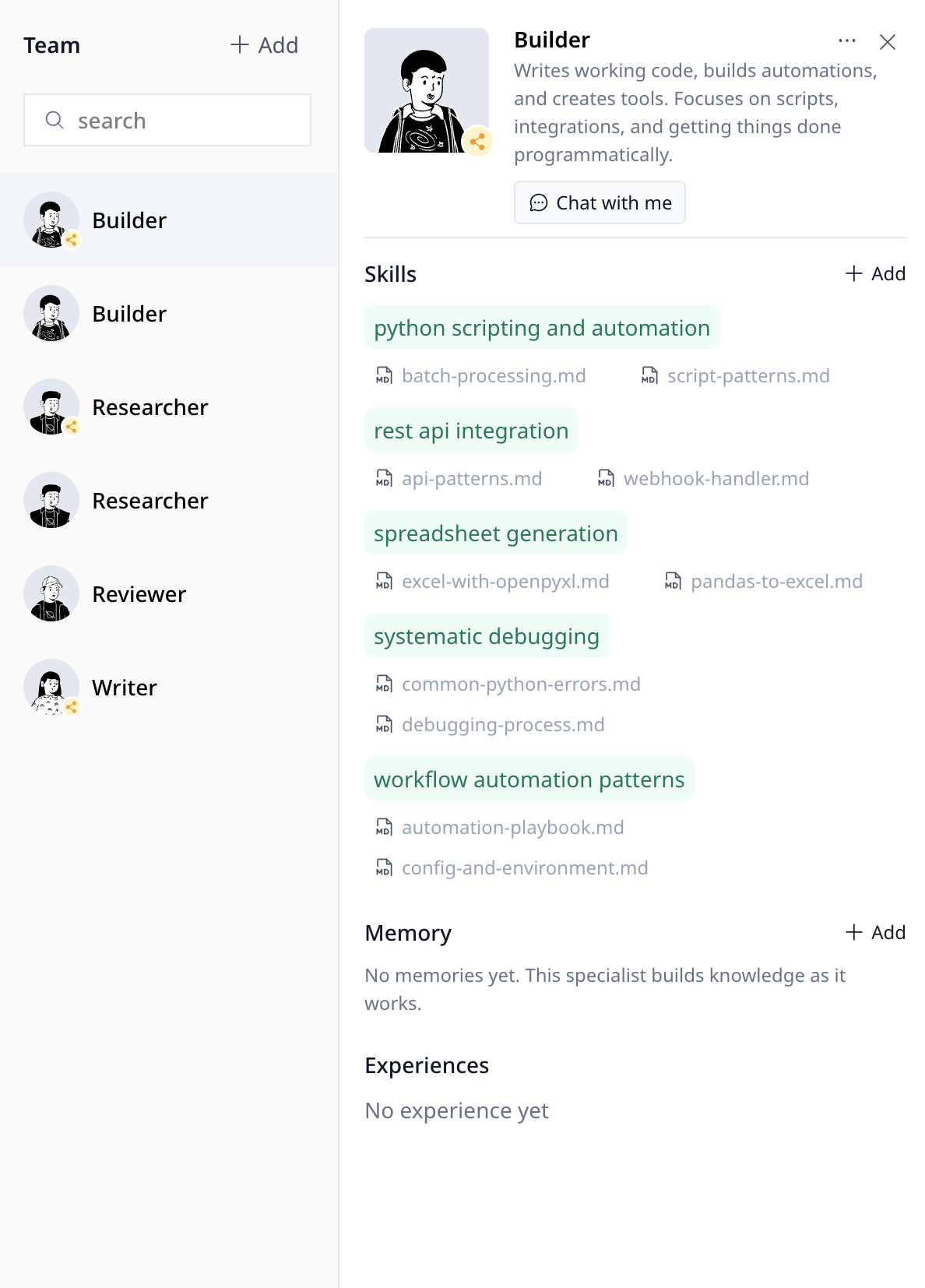
Step 2 — Go to the Add Skills popup
Inside the specialist profile, click the add button next to Skills. An Add Skill popup will appear where you can search community skills.
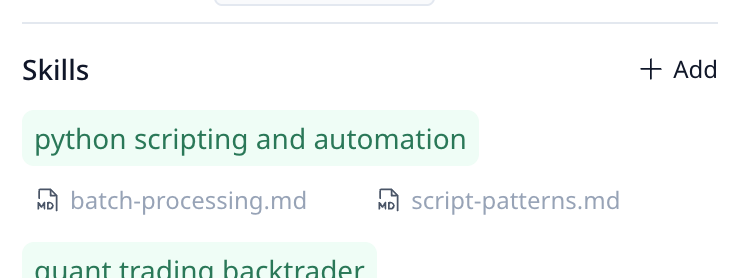
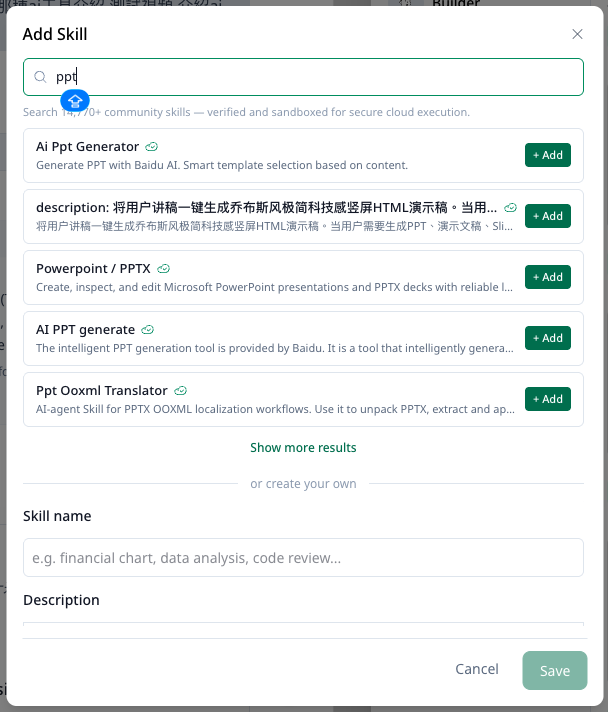
Step 3 — Search the community
Type a keyword in the search bar to browse skills from the GitHub community. Results show the skill name, a short description, and the source repository.
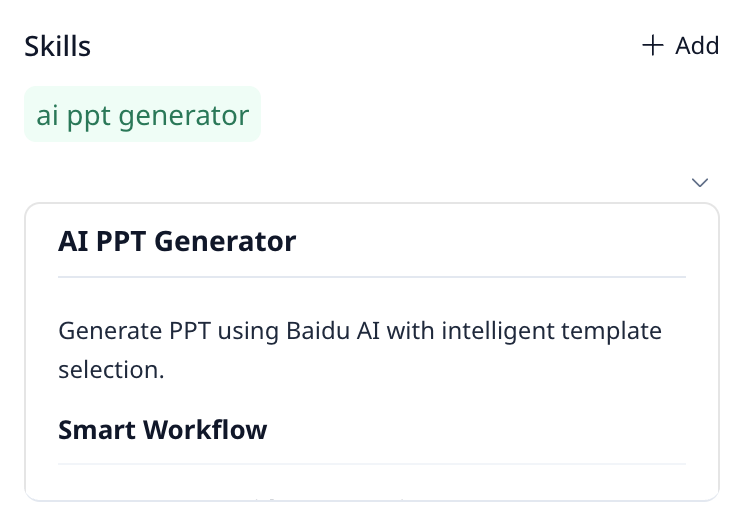
Step 4 — Add a skill
After clicking Add next to any skill, it will appear in the specialist's profile Skills section and the specialist will be able to use that skill immediately in your project.
Example Skills
Here are a few types of skills you might find in the community:
| Skill | What it does |
|---|---|
| PubMed Search | Pulls research papers from PubMed based on a query |
| APA Citation Formatter | Formats references in APA 7th edition style |
| Lab Protocol Checker | Validates experimental steps against a protocol template |
| Financial Data Fetcher | Retrieves stock and market data from public APIs |
Questions?
See the FAQ or email [email protected].