PDF Accessibility Remediator
Make your PDFs accessible to screen readers — in minutes, not hours.
The Workflow
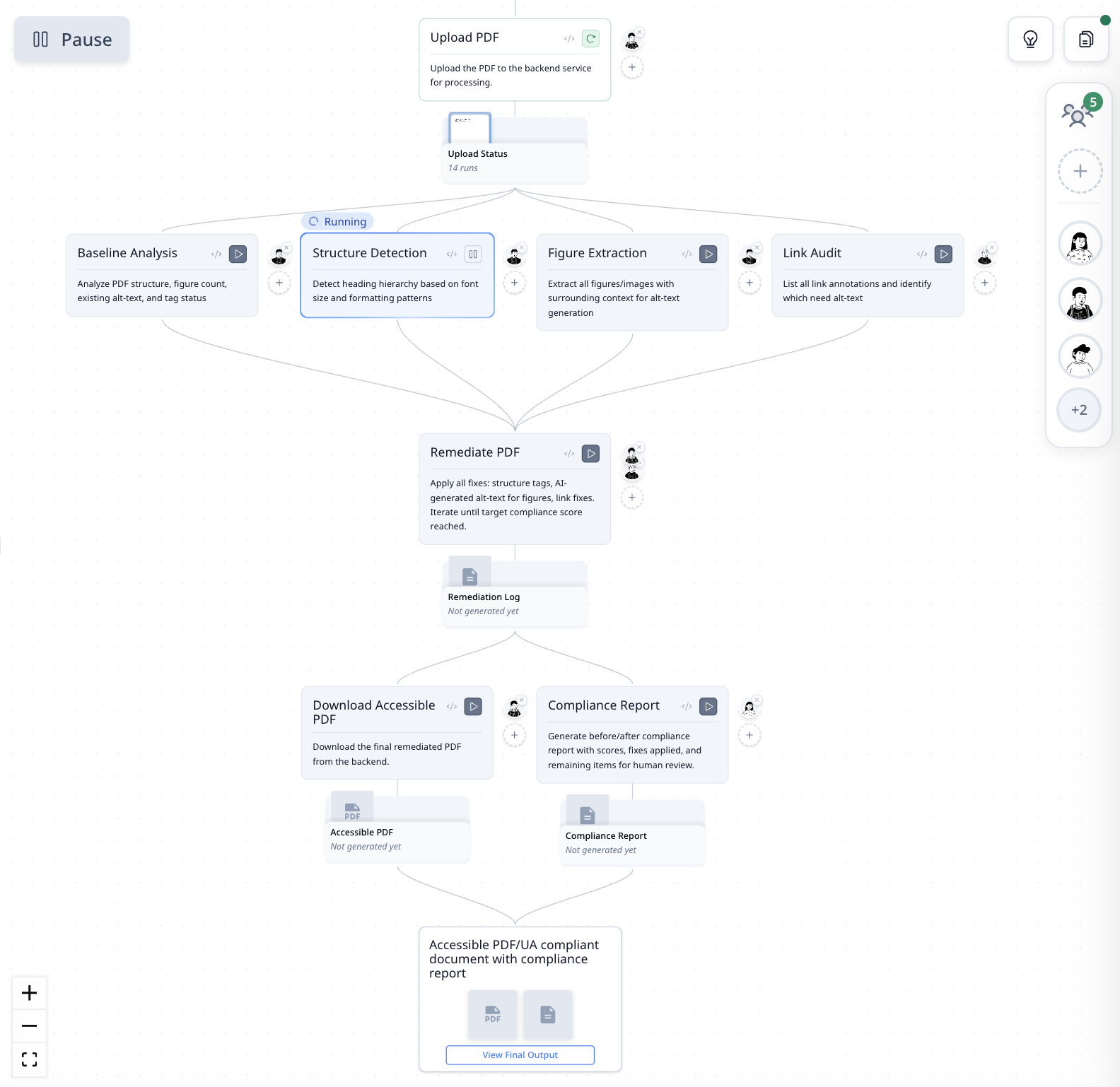
| Step | What It Does |
|---|---|
| Upload PDF | Sends the PDF to the backend service for processing |
| Baseline Analysis | Analyzes structure, figure count, existing alt-text, and tag status |
| Structure Detection | Detects heading hierarchy based on font size and formatting |
| Figure Extraction | Extracts all figures with surrounding context for alt-text generation |
| Link Audit | Lists all link annotations and flags those missing alt-text |
| Remediate PDF | Applies fixes: structure tags, AI-generated alt-text, link fixes — iterates until compliance target reached |
| Download Accessible PDF | Downloads the final remediated document |
| Compliance Report | Generates before/after scores, fixes applied, and remaining items for review |
How It Was Built
"Make this PDF accessible with WCAG 2.1 compliance."
One sentence with a file upload. MorphMind built the 8-step remediation pipeline, connected it to a backend accessibility service, and configured the compliance scoring — ready to process any PDF.
Why This Works Better Than a Chatbot
Tools like ChatGPT and Claude can process PDFs — but they treat the whole file as one pass. You get back a modified PDF with no breakdown of what was changed. The problem:
- You can't tell what was fixed — the AI returns a file, but you don't know if it handled headings, alt-text, link labels, or all three. If the compliance audit still fails, you're guessing which part was missed.
- There's no iteration — if the alt-text for one figure is wrong, you re-upload and re-process the entire document. You can't fix one figure without re-running everything.
- No compliance score — you make changes and hope they're enough. Manual WCAG auditing is tedious and error-prone. This agent runs a before/after compliance check and tells you exactly what passed and what remains.
| The Problem | Workflow Approach |
|---|---|
| One-pass processing — no visibility into what was fixed | Each step (structure, figures, links) runs and reports separately |
| One bad alt-text? Re-process the whole file | Re-run just the figure extraction step |
| No compliance validation | Before/after score with itemized pass/fail |
| Manual Adobe Acrobat tagging for edge cases | Automated remediation that iterates until target met, flags the rest |
How to Use
Step 1: Upload your PDF
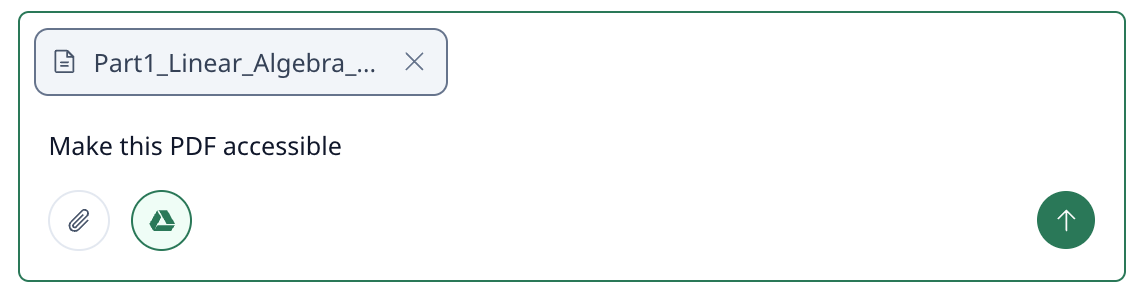
Make this PDF accessible with WCAG 2.1 compliance
Step 2: Review the remediation report
The agent runs all steps and returns a compliance report showing initial vs. final score and every fix applied.
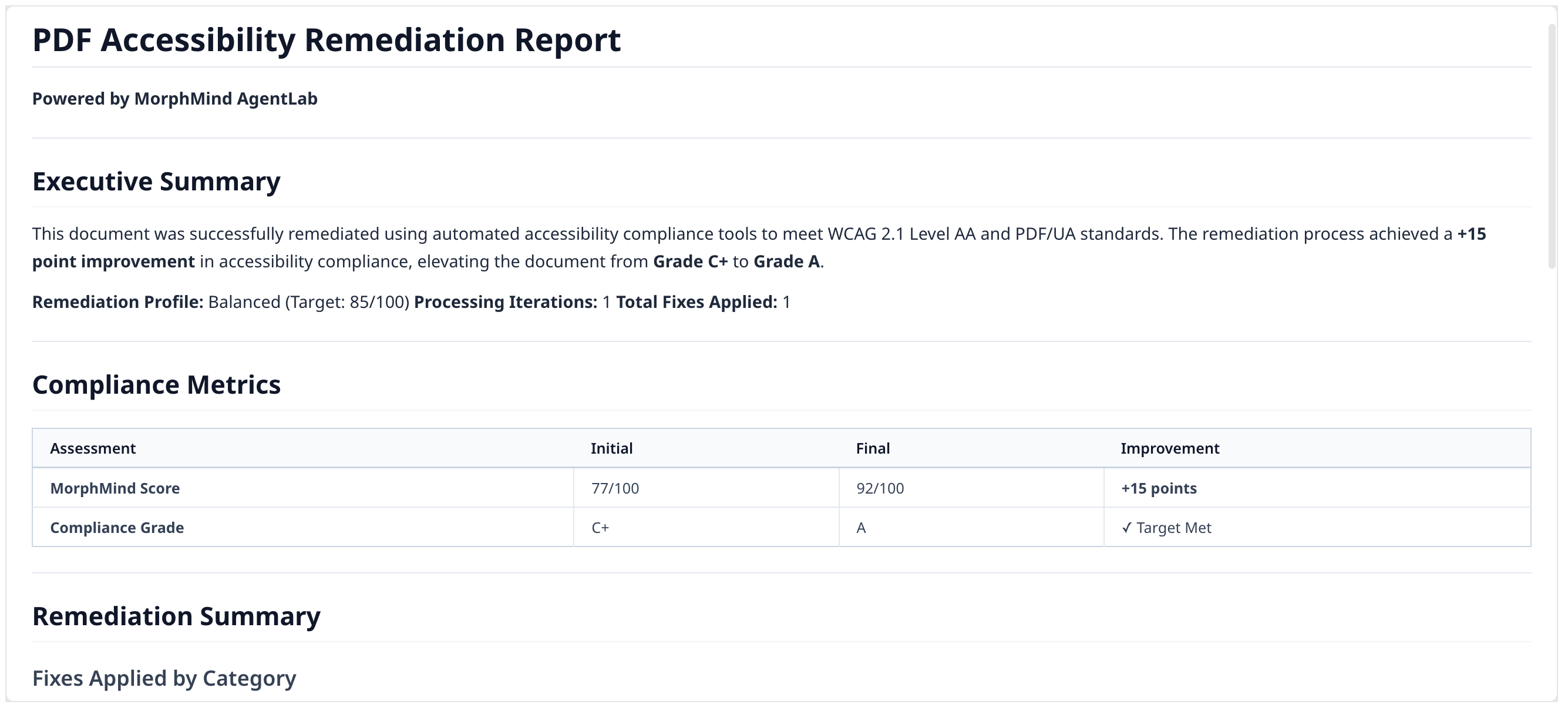
Step 3: Download your accessible PDF
The remediated PDF has all accessibility tags applied — headings, alt-text, link labels, reading order.
Before & After
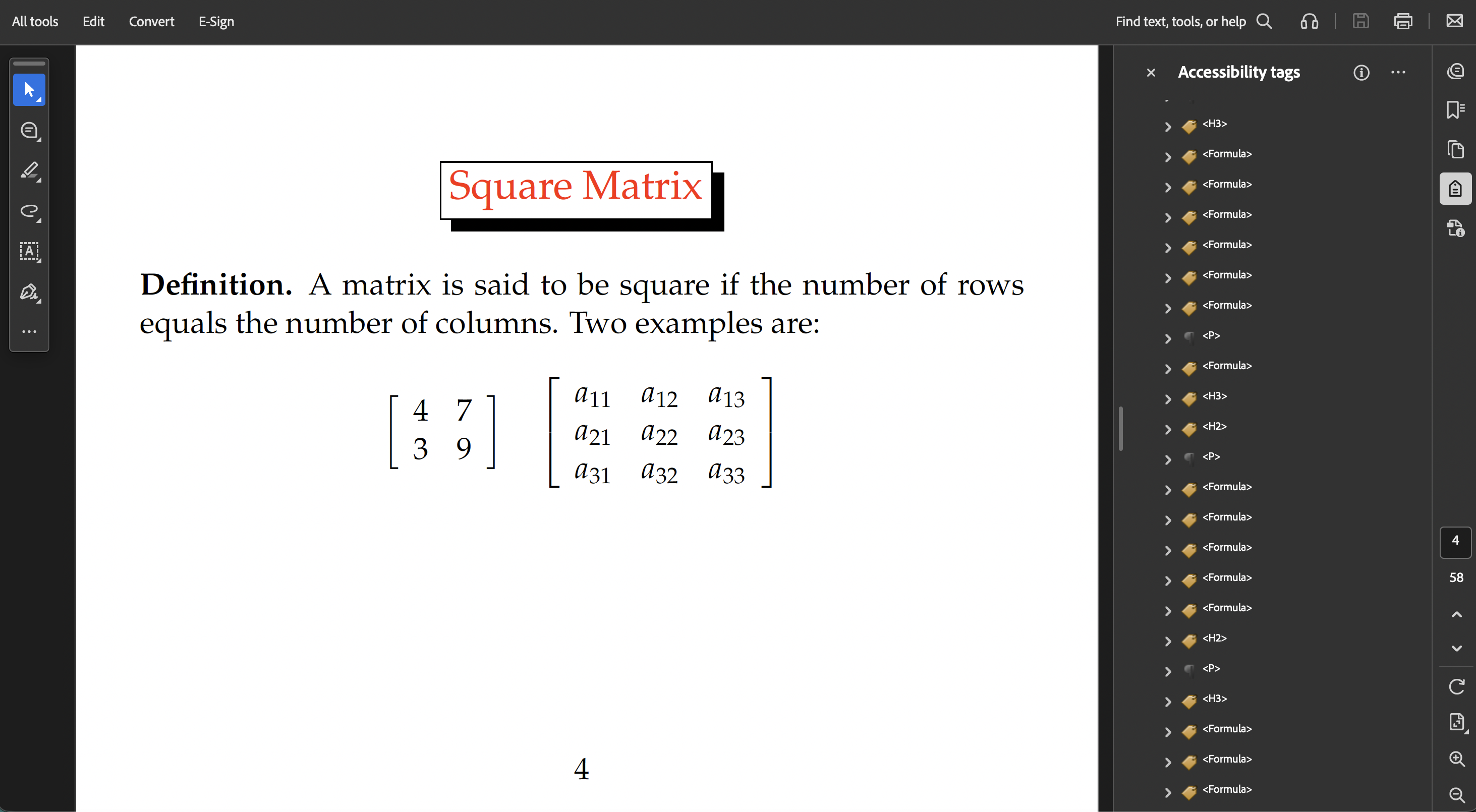
Before: Generic <Figure> tags. Screen readers cannot interpret content.
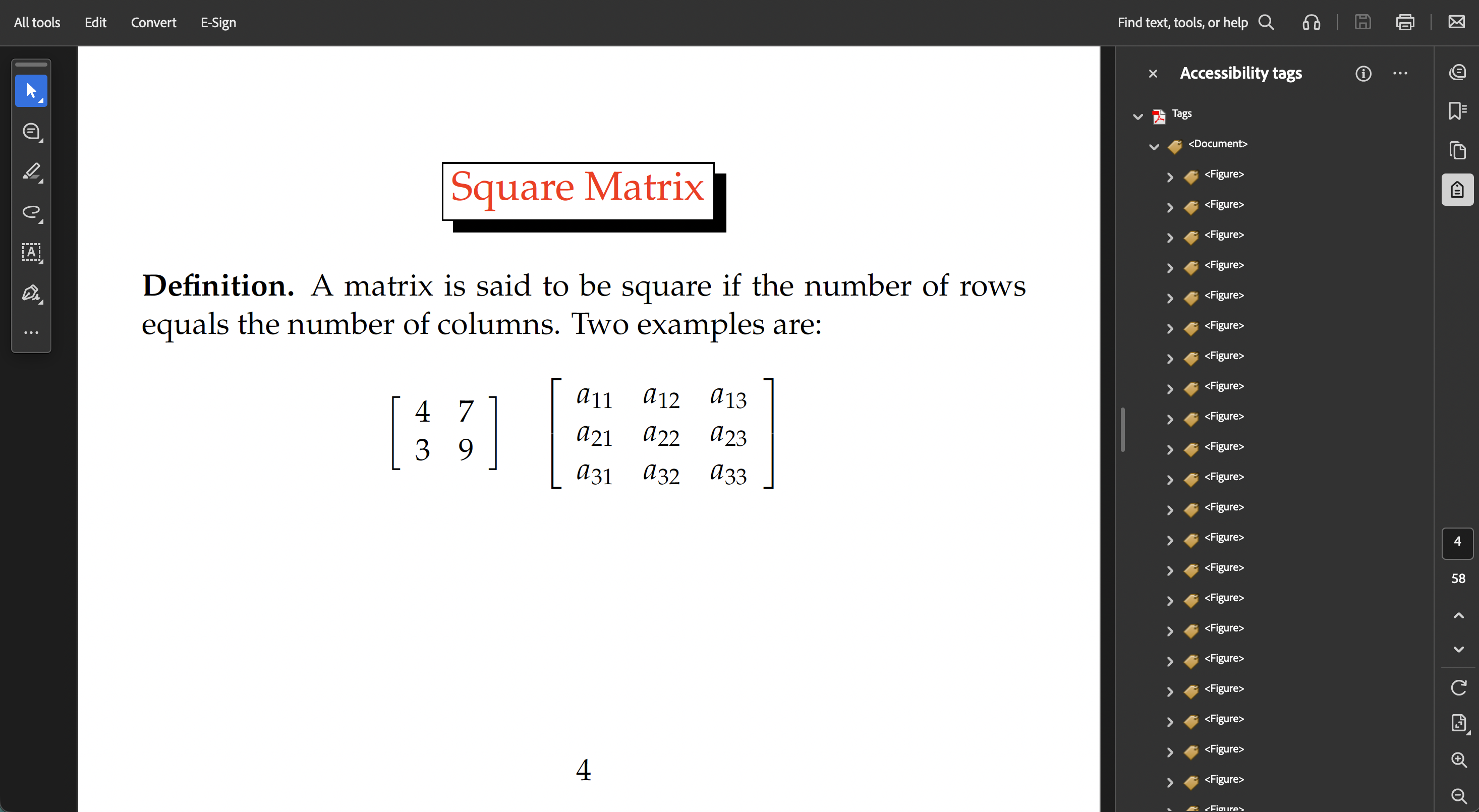
After: Proper <H1>, <P>, <Formula> tags — all with alt-text.
Example Prompts
Make this PDF accessible with WCAG 2.1 compliance
Check this document's accessibility score and tell me what's missing
Generate alt-text for all figures in this PDF
Frequently Asked Questions
Can AI make PDFs WCAG 2.1 compliant?
This agent applies structural tags, generates alt-text for images and formulas, fixes link labels, and validates against WCAG 2.1 and PDF/UA standards. It produces a compliance score and itemizes what was fixed and what remains for human review.
How does AI generate alt-text for PDF figures?
The agent extracts each figure along with its surrounding context (captions, body text) and generates descriptive alt-text that captures what the figure conveys — not just what it looks like.
Is automated PDF accessibility remediation as good as manual tagging?
The agent handles the repetitive structural work — heading tags, reading order, figure alt-text — that makes up the bulk of remediation. Complex cases (decorative vs. informative images, unusual layouts) are flagged for human review in the compliance report.
Open Source
Self-host or contribute to the underlying tool: